I have over 40 years of programming experience using a variety of languages over the course of my career to develop real-time solutions for real-world problems.
Keyboards connect us to the world and, as a keyboard enthusiast, I am searching for the ideal keyboard.
I backed the NiZ keyboard project on Kickstarter and ordered two (2) L84 keyboards - one for home and the other for work. After using them over the past few weeks, I can say this is the best low-profile keyboard I’ve tested to date. NiZ is an Electrostatic Capacitive Non-Contact Low-Profile Keyboard with all the right features built in.
This NiZ L84 is as close to the IDEAL keyboard I could find, offering the best typing experience of any keyboard in my collection.
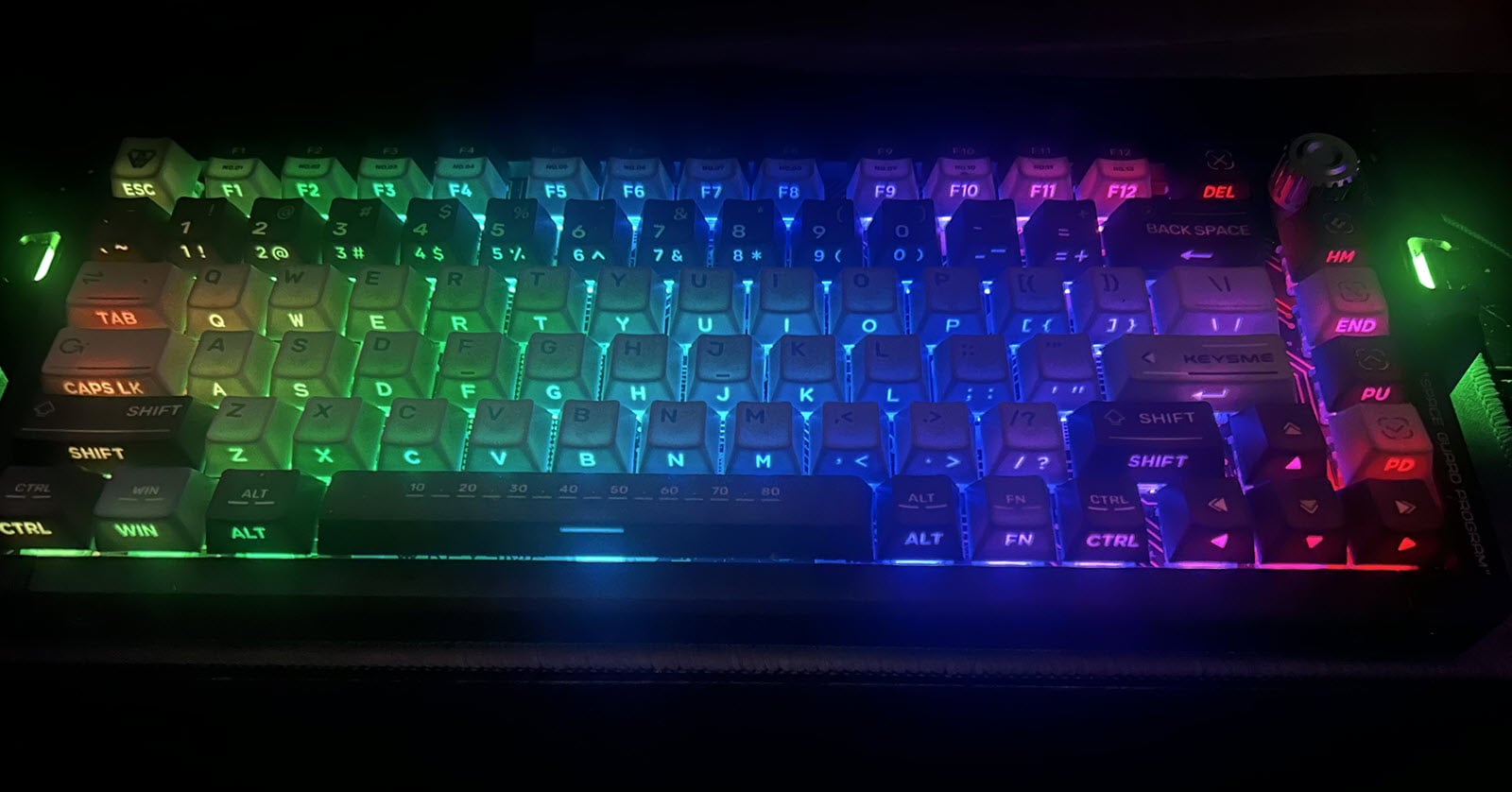
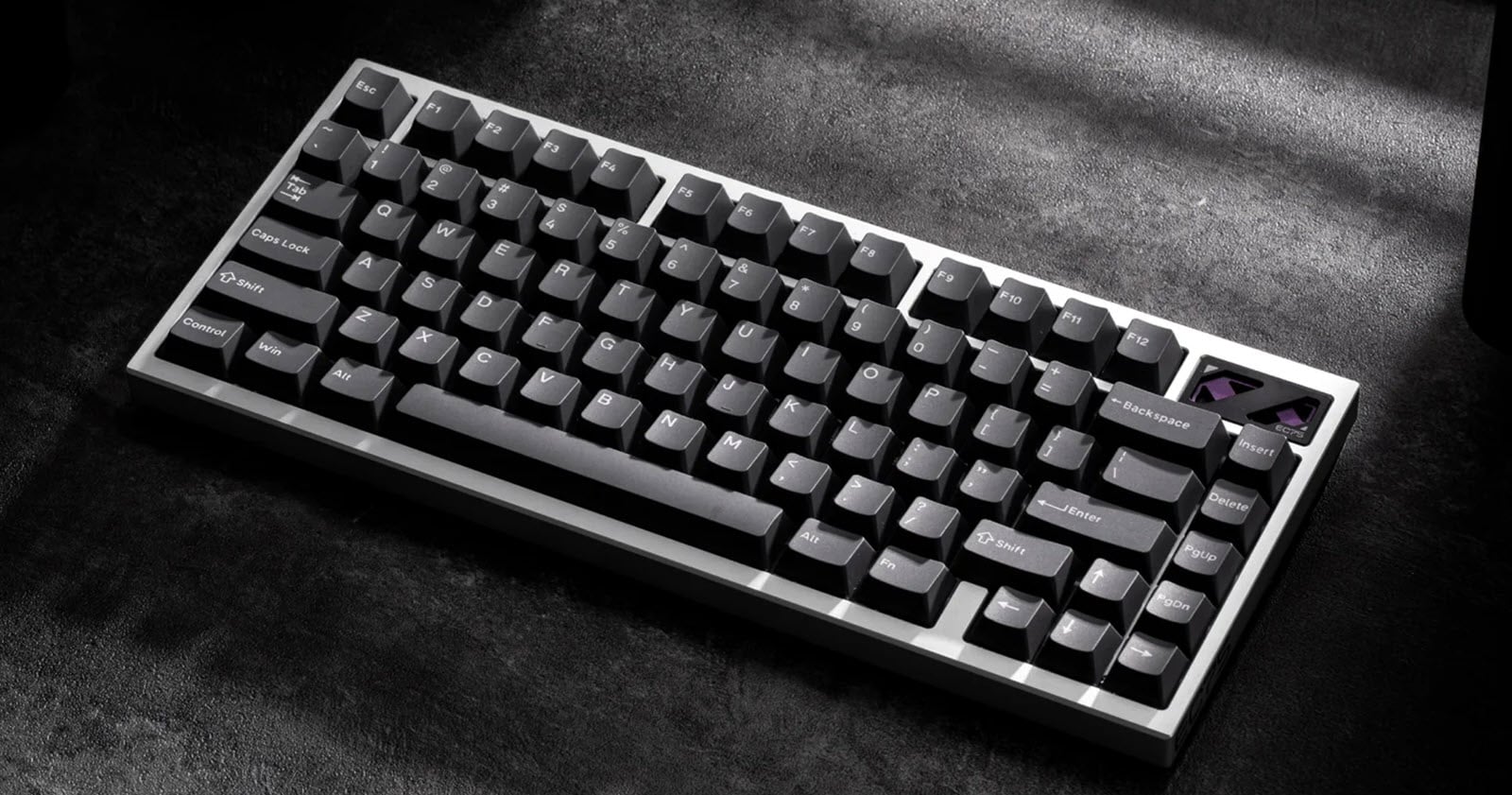
I installed Womier Low-Profile Shine-Through PBT keycaps (available from Amazon) on my NiZ L84 keyboard, pictured above. I may earn a small commission for items purchased.
Configuration Software
I managed to get the software to work after disabling the MSI driver on my Windows PC. I mention this because my initial attempts to download and run the configuration software on my Windows machine failed several times.
Unfortunately, the software only displayed a Japanese-language message in a window. I don’t speak or read Japanese, and despite my attempts to use a translator, the message was unclear and unhelpful.
Attempts to reach out via Kickstarter didn’t yield any results, so I decided to contact support via email:

I received this reply:

Select "L84" from https://www.nizkeyboard.com/pages/firmware-upgrade. Click here for the L84 page specifically. Download the folder, extract the files, and run the L84 executable.
I decided to see if I could run the software on my work computer, and it worked as expected.
Direct link to L84 - Google Drive
The question is, why doesn’t it work on my home computer? I had to disable the MSI driver and related MSI files from Startup Applications.
Fortunately, I have a “clean” ultra-portable PC that successfully ran the downloaded file. This confirmed the need to determine which application is causing the software to fault on my primary laptop.
Comparators - Competition
My comparators are the LoFree Edge, LoFree Lite, Hesper 84(100), IQUNIX MQ80, and IQUNIX MG65 Pro, all of which rank better than any of the wide varieties of low-profile Keychron keyboards in my collection. I also backed the Flow 2 project on Kickstarter. I ordered the Flow 2-68, Flow 2-84, and Flow 2-100 key keyboards.
What makes the L84 different?
For starters, the low-profile “Topre-integrated” switches are amazing. The low actuation point and minimal total travel make for faster typing and a unique typing feel, unlike any other keyboard in my collection.
The HHKB-style Caps Lock/Control and Backspace/”\” key swapping is achieved using simple Fn key combinations. Actuation point presets and polling rates are also easily accessed using Fn key combinations.
The layout options offered by this keyboard address the changes I would typically make using configuration software. I downloaded the configuration software using the QR code shown on page 5 of the user guide.
The keyboard offers a respectable set of key combinations and is my new daily driver. I love the feel of this keyboard, and my typing speed has improved by a solid 15+ words per minute.
No More Excuses
I call this my “no excuses” keyboard because it addresses every excuse I could think of for not typing faster: short travel and actuation points, light touch, up to 8K polling rate, split spacebar, and more.
I love the little LED screen. The letters are crisp, clean, and easy to read! It is easy to switch between profiles, operating systems (MAC/Windows), and other modes using simple Fn Key combinations—the LED changes to reflect the current settings where applicable.
The keycaps display the primary legends as expected, while the front faces clearly indicate the secondary Fn Key combinations. This makes for a keyboard that is very easy to navigate.
Other nice touches include the latex “skin” to protect the keyboard from debris and spills, LED backlighting that adds a subtle ambience to my desk space, and “onboard” storage for the 2.4GHz dongle!
The L99 Came Next
It took me a while to get used to the L84 because of the light touch to activate the keys. However, I quickly learned to adjust my typing posture and style. I decided to get the L99 to complement my collection and better support my daily work tasks, as it has a separate number pad.
Keycaps
The keycaps are unique to the keyboard, and while I appreciate their shape, I thought shine-through keycaps would complement the keyboard, making it much easier to use in a darkened room.
I purchased Womier double-shot PBT shine-through keycaps from Amazon, and the keyboard, as pictured in the cover of this post, has a nicer aesthetic, especially at night, and has helped to improve my accuracy.
Low Profile Custom Keycaps: This keycap set is half the height of other keycaps while increasing your finger's touch area.
Double Shot PBT Keycaps: Retains consistent texture and appearance even after heavy use. Not easy to wear, strong, and enduring. However, a slight sheen began to appear after extensive use.
Shine Through Keycaps: The RGB backlighting does not overwhelm at its lowest setting, making the shine-through effect easy on the eyes. As a seasoned touch typist, I don’t need to see the keys under normal circumstances. However, there are times when it helps to see the navigation keys or function keys across the top row.
Full-size Keycaps Set: The keycap set is suitable for 61/68/82/84/87/100/104/108 key mechanical keyboards, as well as any key switch with a cross-shaped axis.
Warranty: This keycap set has a 12-month warranty.
Simply the Best
This keyboard is exemplary. If you’re looking for a keyboard that offers portability, functionality, and an unparalleled typing experience, the L84, L99, or both are it.
The L84 is also available without RGB backlighting and has a lower price point accordingly. The L99 does not offer RGB backlighting.
Related Articles and Resources
NIZ keyboard firmware & upgrade - Google Drive - This Google Drive site lists all NIZ keyboards, including the L84 and L99.
L84 - last update Jun 18, 20025a
L99 - last update Jun 18, 2025
firmware - Google Drive L84_V1.0.15 - May 23.2025
NiZ Electrostatic Capacity Switch Keyboard Downloads - Not Attempted
Understand the features of NiZ capacitive non-contact keyboards!